
 Macro Transferfor Zendesk SupportNew in Marketplace
Copy and bulk-edit Zendesk macros, safely
Export the macros you need, edit them in bulk, and import them into the same or another Zendesk account, with a preview, a trial run and a journal of every change.
Free 14-day trial · Zendesk Support · For administrators
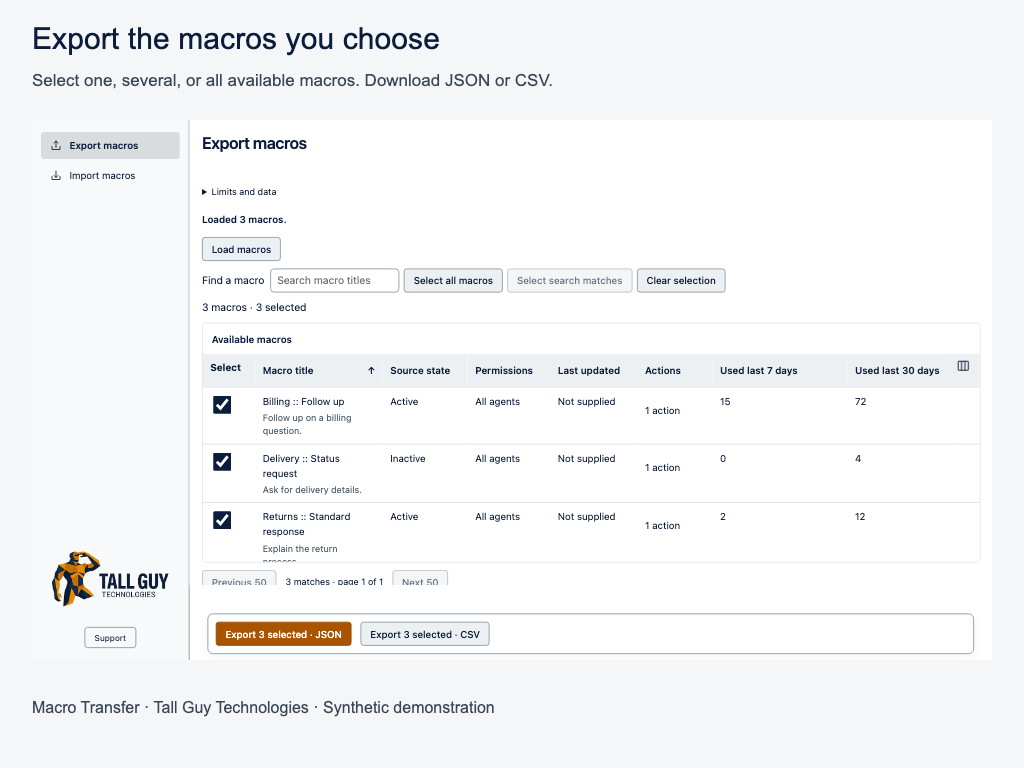
Move macros. Keep control.
Everything you need to move macros, nothing you don’t
- Export only what you need. Select one, several or all available macros and download JSON or CSV.
- Bring your own files. Import Zendesk macro JSON or match external CSV columns to the supported fields.
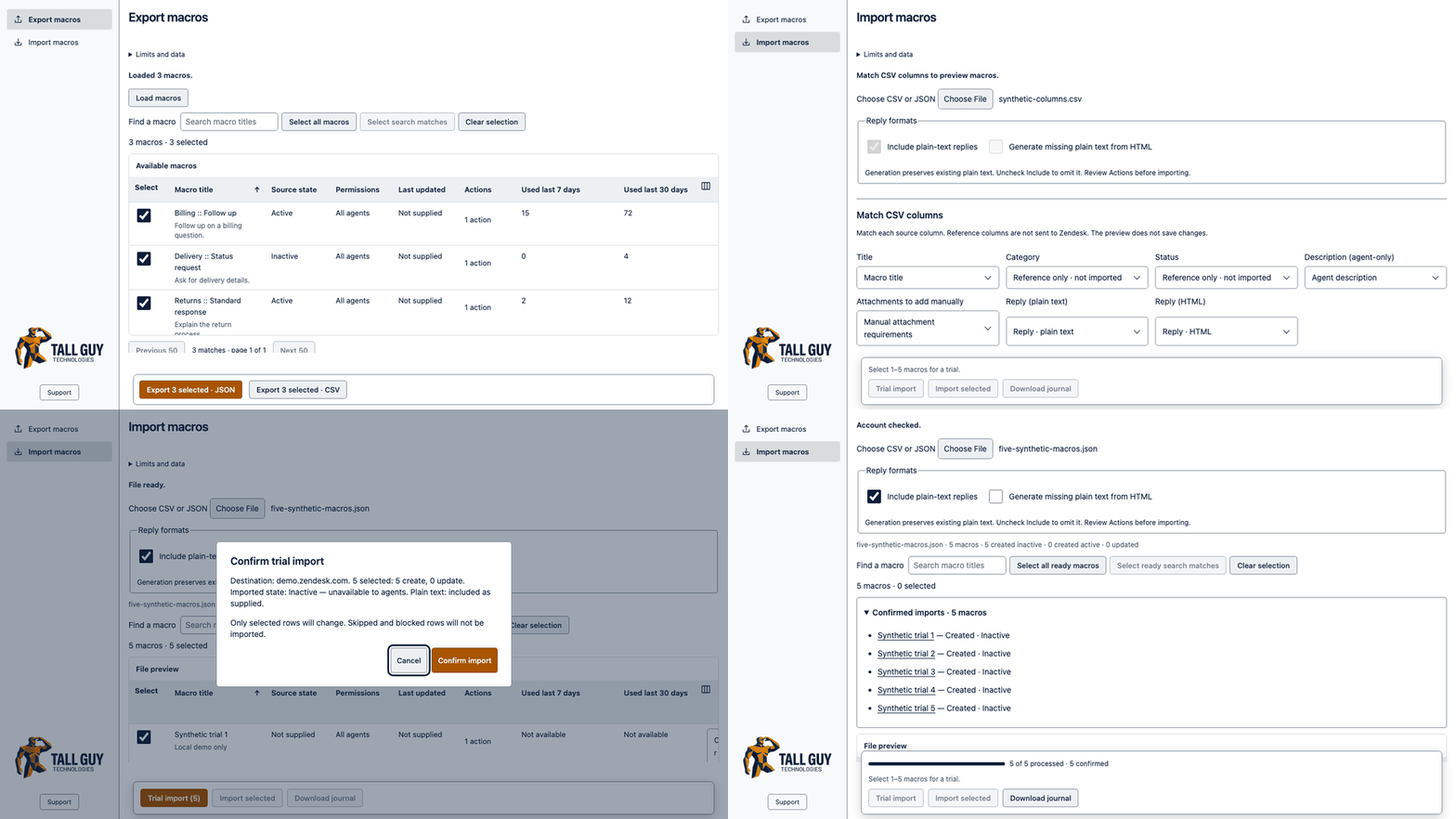
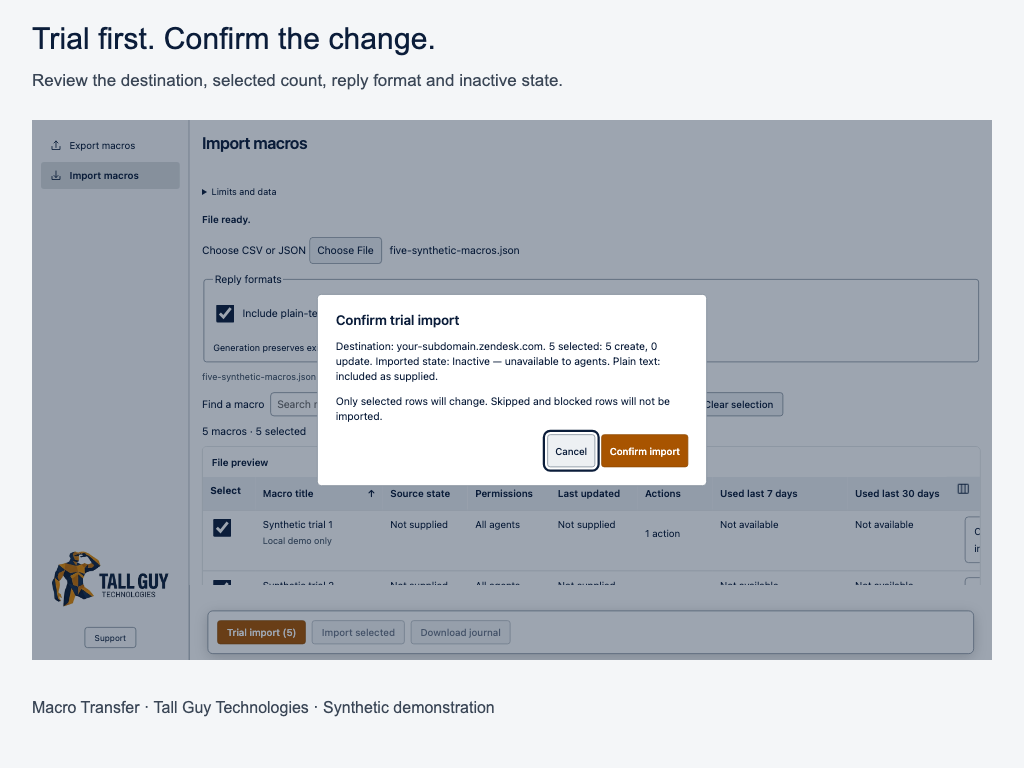
- Review before writing. Inspect validation results, choose Skip or Update for matching titles and trial 1–5 selected macros before a larger batch.
- Choose the imported state. Create inactive macros by default, or deliberately select Active and acknowledge live changes.
- Control reply formats. Keep supplied plain text, generate missing plain text from HTML or leave plain text out.
- Verify the result. Review confirmed imports with links to their macros and download a journal of the run.
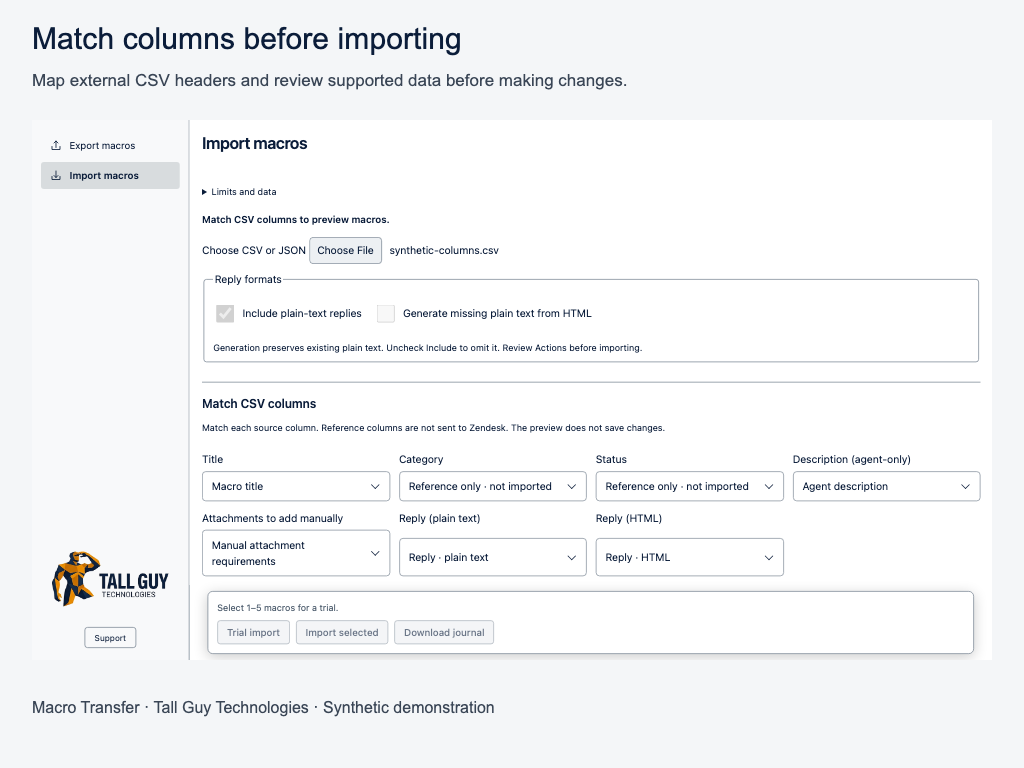
See it in action
From export to confirmed import
Select macros, review the import, trial a few, then confirm the rest.
How it works
Four steps, one reviewed import
- 1
Export
Load your macros, select what you need and download JSON or CSV. Keep an unchanged copy as a backup.
- 2
Edit
Change wording, titles or whole sets of macros in the spreadsheet or editor you already use.
- 3
Preview and trial
Import in the destination account, read the preview, then trial 1–5 macros and check them in Zendesk.
- 4
Import and keep the journal
Import the remaining ready rows and download the journal of every attempted change.
Built for real admin work
Bulk work, without the guesswork
Use the tools you already know to edit exported files, then return to Zendesk for a reviewed import. Sort the preview, check blocked rows and select exactly what to transfer. Source IDs are never used as destination identities.
Know the limits. Macro Transfer is for administrators working with supported, portable macro actions. Restricted macros, attachments, category metadata, unresolved dynamic content, inline images and tenant-dependent actions may be blocked. It doesn’t replay destination order, migrate an entire account or roll back changes automatically.
Your data
What the app reads and keeps
What it reads
Your role, account context and macro configuration, to prepare exports, compare matches and verify writes. Transfers use your signed-in Zendesk account.
Where it goes
Macro content, metadata and before-images are processed in browser memory and in files you choose to download. There is no publisher backend, analytics or AI service.
What to keep safe
Files and journals may contain sensitive configuration. Closing or reloading clears the in-memory journal. Uninstalling doesn’t undo macro changes or delete downloaded files.
Learn more
Guides for Macro Transfer
Setup, worked examples, troubleshooting with the app’s real messages, and short answers to common questions.
Ready to move your macros?
Free 14-day trial in Zendesk Marketplace. Questions go to the people who built it.