
How do I rewrite Zendesk macros with AI?
Short answer
Export the macros as JSON with Macro Transfer, have your AI tool rewrite the reply text without touching titles or structure, then import the file back and set the matching macros to update, after a preview and a trial.
How to do it with Macro Transfer
- Export as JSONSelect the macros in Export macros and download JSON. Every action travels with its macro.
- Ask your AI tool for the editAsk it to rewrite only the reply text, keep every title and field unchanged, and return the same JSON structure.
- Import the resultChoose Import macros and pick the file. Each macro is matched by title; set the rows you want to change to Update existing. Anything unsafe is blocked with the reason.
- Trial a fewTrial 1–5 macros and read them in Zendesk before importing the rest.
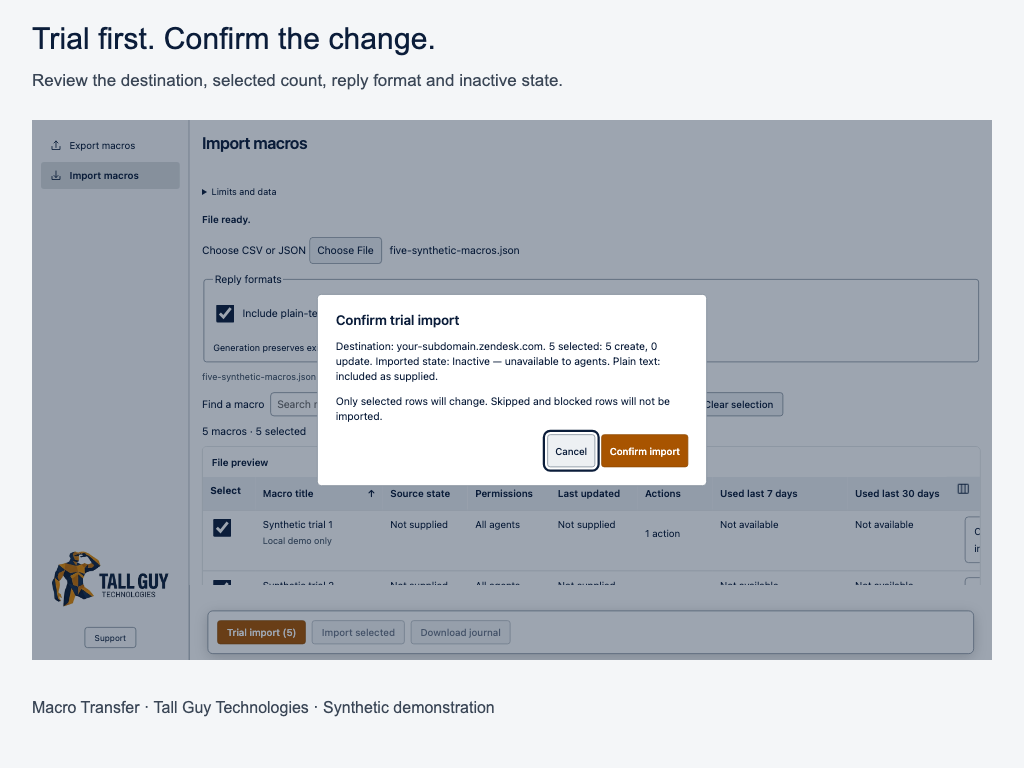
Screenshot from Macro Transfer - Import the restImport the remaining rows and download the journal as your record.
Why it matters
AI tools are good at bulk rewriting: tone refreshes, shorter replies, consistent sign-offs and translations. What’s hard is getting hundreds of macros out of Zendesk and back in without breaking anything. The preview and trial make that safe.
Tip: Keep titles exactly as they are. Titles are how macros are matched, so a changed title becomes a new macro. Remove anything sensitive before sharing a file, following your company’s AI policy.
 Macro TransferCopy and bulk-edit Zendesk macros · read the full guide